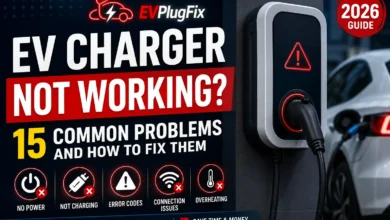
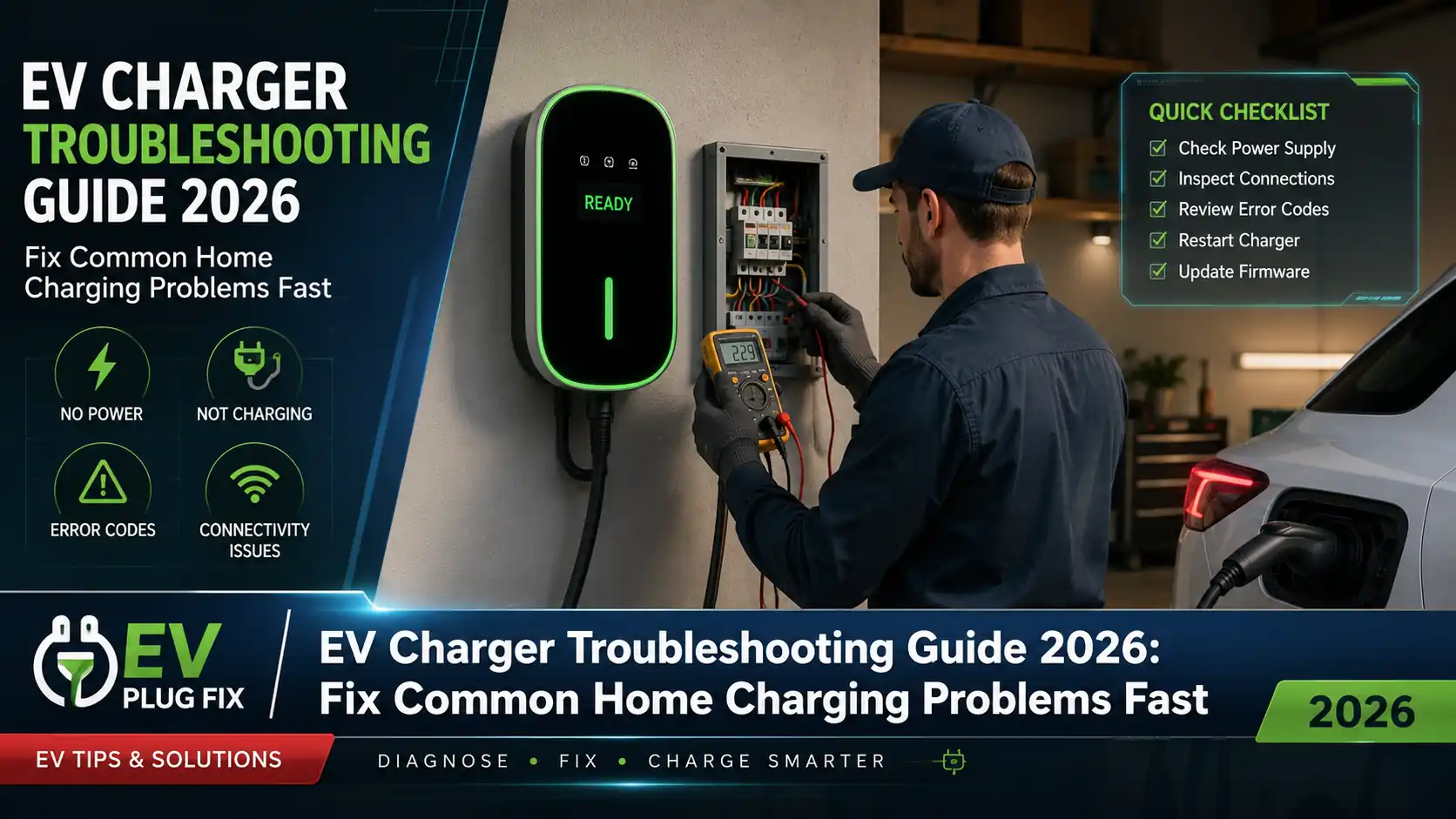
If your home EV charger is not working, start with four checks: confirm the charger has power, unplug and reconnect the vehicle, check whether a charging schedule is blocking the session, and look for an error code or warning light. If you see melted plastic, damaged wiring, repeated breaker trips, a burning smell or signs of water inside the equipment, stop charging and arrange professional inspection.
EV charging faults can come from the charging station, the electrical supply, the cable and connector, vehicle settings or the vehicle itself. The quickest way to find the cause is to troubleshoot in that order without opening the charger or electrical panel.
EV Charger Troubleshooting: Quick Diagnosis
| Problem | Check First | Next Step |
|---|---|---|
| Charger has no lights | Check whether its circuit has power | Power-cycle only as permitted by the manufacturer’s instructions; call an electrician if power does not return |
| Plugged in but not charging | Reconnect the plug and check vehicle/schedule settings | Restart the charger and check its error indicator |
| Charging slower than expected | Check vehicle AC limit and charger setting | Check load management, battery temperature and household demand |
| Charging repeatedly stops | Look for an error code and check vehicle settings | Test another compatible charger or EV if practical |
| Red/error light | Record the exact light pattern or error code | Follow the manufacturer’s code-specific instructions |
| App offline | Check whether the car still charges normally | Troubleshoot Wi-Fi/app connectivity separately |
| Scheduled charging fails | Check schedules in both car and charger | Temporarily disable one schedule and test again |
| Cable or connector damage | Stop using the equipment | Contact the manufacturer, installer or qualified electrician |
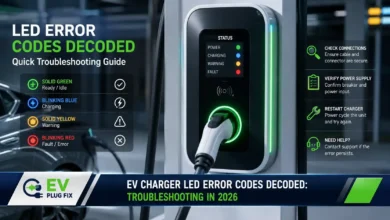
Important: LED colors and error codes are not universal. A red light, flashing sequence or display message can mean different things on different chargers. Record exactly what the charger displays and check the manual for that specific model before assuming what the fault means.
1. EV Charger Won’t Start Charging
A charger that has power but will not start a session does not automatically have an electrical fault. Start with the connection between the car and EVSE.
Disconnect the charging connector from the vehicle, wait about 15–30 seconds and reconnect it fully. Check that the connector is seated correctly and that the vehicle recognizes it. This forces the car and EVSE to establish a new EV charging handshake.
Then check the vehicle. Make sure it is in Park, the charge port is ready, and no charging schedule or battery charge limit is preventing the session. Some vehicles also lock the connector or use vehicle-specific charging settings, so check the owner’s manual if the car reports that it is connected but not charging.
If nothing changes, restart the EVSE using the procedure specified by its manufacturer. For some home wallboxes, that may include switching the dedicated charging circuit off, waiting briefly and restoring power.
Do not repeatedly reset a circuit that immediately trips again. A recurring trip needs diagnosis rather than repeated resetting.
2. Charger Has No Lights or Appears Completely Dead
No lights usually narrows the investigation to power supply, charger configuration or an internal EVSE problem.
First determine whether the charger should normally show an indicator when idle. If it should, verify that its supply has not been intentionally switched off and check the dedicated circuit breaker without removing the electrical-panel cover.
If the breaker has tripped once, follow the charger manufacturer’s instructions before resetting it. If it trips again, leave it off and contact a qualified electrician or the charger manufacturer.
Do not remove a hardwired charger from its mounting plate, open its wiring compartment or use a multimeter on live terminals as a DIY troubleshooting step. Those checks belong to a qualified person working under the applicable electrical rules.
3. EV Charging Power Is Lower Than Expected
Slow home charging is often normal rather than a charger failure. The charging rate is constrained by the lowest limit in the chain: the available electrical supply, EVSE configuration, load-management system and vehicle’s onboard AC charger.
A 22 kW wallbox cannot make a vehicle with an 11 kW onboard charger accept 22 kW AC. Likewise, an EVSE configured to a lower current because of the home’s electrical capacity will not deliver its maximum nameplate rating.
Battery temperature and state of charge can also influence charging behavior. The vehicle’s battery and charging control systems may reduce power when conditions require it.
Before troubleshooting the wallbox itself, compare the observed charging rate with the vehicle’s AC specification and the EVSE’s configured limit. Our guide to EV battery charging methods explains why the power available from the charger is not always the power accepted by the car.
Check Load Management Too
A charger connected to a dynamic load-management system may intentionally reduce charging power when other household loads are high. Try observing charging power when major electrical loads such as cooking equipment, water heating or HVAC systems are not operating.
If charging power rises as household demand falls, the charger may be behaving exactly as the load-management system was designed to behave.
4. EV Charger Keeps Stopping During a Session
Repeated interruptions are more useful diagnostically than a single failed session because you can look for a pattern.
Start by recording when charging stops. Note the battery percentage, charging power, outside temperature, charger indicator and any error message shown by the car or EVSE.
Then check the simple causes:
- vehicle charging schedules;
- maximum state-of-charge settings;
- charger schedules;
- load-management restrictions;
- connector seating;
- visible cable or plug damage;
- charger temperature warnings.
If possible, isolation testing can help. A different compatible EV charging normally from the same EVSE points toward the original vehicle or its settings. The same fault occurring with multiple vehicles points more strongly toward the EVSE or electrical installation.
Likewise, if your vehicle charges normally on another known-good compatible AC charger, that evidence shifts attention back toward the home charging equipment or supply.
Repeated interruptions associated with electrical protection, supply faults or abnormal heating should be investigated professionally. A correctly designed dedicated EV charging circuit and its protective devices are part of the complete charging system.
5. EV Charger Shows a Red Light or Error Code
Do not diagnose a charger from the color alone. LED behavior varies by manufacturer and model.
Instead, record the exact indication. For example:
- solid or flashing;
- number of flashes;
- color sequence;
- displayed error number;
- whether the fault appears before or after plugging in the vehicle.
Then look up that exact indication in the manufacturer’s manual or support documentation.
Ground or Earth Fault
A ground- or earth-fault warning is a safety event, not an invitation to open the electrical panel and search for loose wires.
Disconnect the vehicle if the manufacturer’s instructions say it is safe to do so and visually inspect the charging handle, cable, EVSE exterior and vehicle charge port for obvious damage or water ingress. Do not open the charger or electrical distribution equipment.
If the fault returns after the manufacturer-approved reset procedure, stop using the charger and contact the installer, manufacturer or qualified electrician. Our guide to EV charger RCD protection explains the protection principles in more detail.
Overcurrent Fault
An overcurrent error can indicate that the vehicle is attempting to draw more current than the EVSE permits, that the charger is configured incorrectly or that another fault has been detected.
Do not guess the correct current from a generic percentage rule. EVSE configuration, circuit protection and conductor sizing must match the actual installation and local electrical requirements. If the configured charging current appears wrong, check the installation documentation or ask the installer rather than increasing it yourself.
High-Temperature Warning
If the charger reports excessive temperature, stop the charging session if instructed by the manufacturer and allow the equipment to cool.
Look externally for obvious causes such as direct intense sunlight, blocked ventilation where applicable, damaged connectors or abnormal heat around the charging handle. Persistent thermal faults require professional investigation because they can be associated with the EVSE, connector or electrical installation.
6. Wi-Fi or EV Charger App Is Not Working
First separate a connectivity problem from a charging problem.
If the app says the charger is offline but the vehicle still charges normally, the EVSE’s core charging function may be fine and only its connected features are affected.
Check whether your phone has a usable Wi-Fi signal at the charger location. Garages, exterior walls and metal doors can significantly weaken wireless coverage.
Then:
- confirm the home internet connection is working;
- restart the router if appropriate;
- check whether the Wi-Fi name or password recently changed;
- verify the charger’s supported Wi-Fi bands in its manual;
- check that the charger app is current;
- use the manufacturer’s Wi-Fi reconfiguration procedure if necessary.
Do not assume every smart charger requires 2.4 GHz. Some models do, while connectivity specifications differ between products. Check the documentation for your exact charger.
If Wi-Fi coverage at the parking location is consistently poor, repositioning the access point or adding suitable network coverage may be more effective than repeatedly resetting the EVSE.
7. Scheduled Charging Doesn’t Start
When an EV charges normally on demand but fails at the scheduled time, look at software settings before electrical hardware.
The first place to check is whether both the vehicle and charger have active schedules. Two independent scheduling systems can produce confusing behavior, particularly if they use different departure times, tariff windows or clock settings.
Temporarily disable one schedule and test the other by itself.
Also check:
- vehicle and charger time settings;
- time zone and daylight-saving settings where relevant;
- departure-time or off-peak charging modes;
- maximum battery charge limit;
- whether a manual “charge now” setting has overridden the schedule.
If the charger depends on cloud connectivity for schedule changes, verify that it is online and has synchronized the latest settings.
8. Charger Won’t Accept a Current-Limit Change
Current settings are highly model-specific. Some EVSEs allow the driver to temporarily reduce charging power, while installation-level maximum current may be restricted to an installer or commissioning interface.
Do not increase an EVSE’s maximum configured current simply because the charger supports a higher rating. The permitted maximum depends on the circuit and how the installation was designed.
If a user-adjustable setting appears stuck, stop the charging session, reopen the manufacturer’s app or interface and follow the model-specific procedure. A power cycle may clear a temporary software problem where the manufacturer recommends one.
If the configured installation limit appears incorrect, contact the installer.
9. Charging Cable, Connector or EVSE Looks Damaged
Physical damage changes the troubleshooting process immediately: stop using the equipment rather than trying additional charging sessions.
Inspect accessible parts of the charging equipment for:
- cuts or deep abrasion on the cable;
- exposed conductors;
- cracked connector housings;
- bent or damaged contacts;
- melted or discolored plastic;
- corrosion;
- water where it should not be present;
- impact damage to the wallbox;
- unusual burning smells.
Outdoor equipment also needs to remain suitable for its installation environment. An IP rating describes defined ingress-protection tests; it does not make damaged equipment safe or guarantee suitability for flooding, poor cable entries or every weather condition. See our EV charger IP rating guide for more detail.
Do not open the EVSE housing to inspect internal components unless the manufacturer’s servicing instructions explicitly assign that work to the user. Hardwired electrical repairs should be handled by an appropriately qualified person.
10. Charger Works With One EV but Not Another
If the same EVSE reliably charges one vehicle but refuses another, the charger is not necessarily defective.
First confirm physical and electrical compatibility between the vehicle and charging equipment. Connector standards differ by market and vehicle generation, including Type 1/J1772, Type 2, NACS and other regional systems.
Adapters add another compatibility variable where they are used, so follow the vehicle and charging-equipment manufacturers’ requirements rather than assuming that physical connection alone guarantees compatibility.
Next check the affected vehicle for:
- charging schedules;
- AC charging limits;
- charge-port errors;
- pending software updates;
- manufacturer notices concerning charging compatibility.
If the issue is limited to a particular vehicle/EVSE combination, report the exact charger model, firmware version, vehicle model and vehicle software version to the relevant manufacturer.
A Simple Way to Isolate an EV Charging Fault
Troubleshooting becomes much easier when you change only one part of the charging chain at a time.
| Test Result | Where to Investigate Next |
|---|---|
| Your EV fails at home but charges normally elsewhere | Home EVSE, its configuration or electrical supply |
| Another EV charges normally from your home charger | Your vehicle, vehicle settings or vehicle/EVSE compatibility |
| Multiple EVs fail on the same home charger | EVSE or electrical installation |
| App is offline but vehicle charges normally | Network, cloud service or app connectivity |
| Charging fails only at scheduled times | Vehicle/EVSE scheduling and clock settings |
| Fault follows a particular cable or adapter | Cable/adapter compatibility or condition |
This is not a substitute for electrical testing, but it can give the manufacturer, installer or electrician much better information when professional diagnosis is needed.
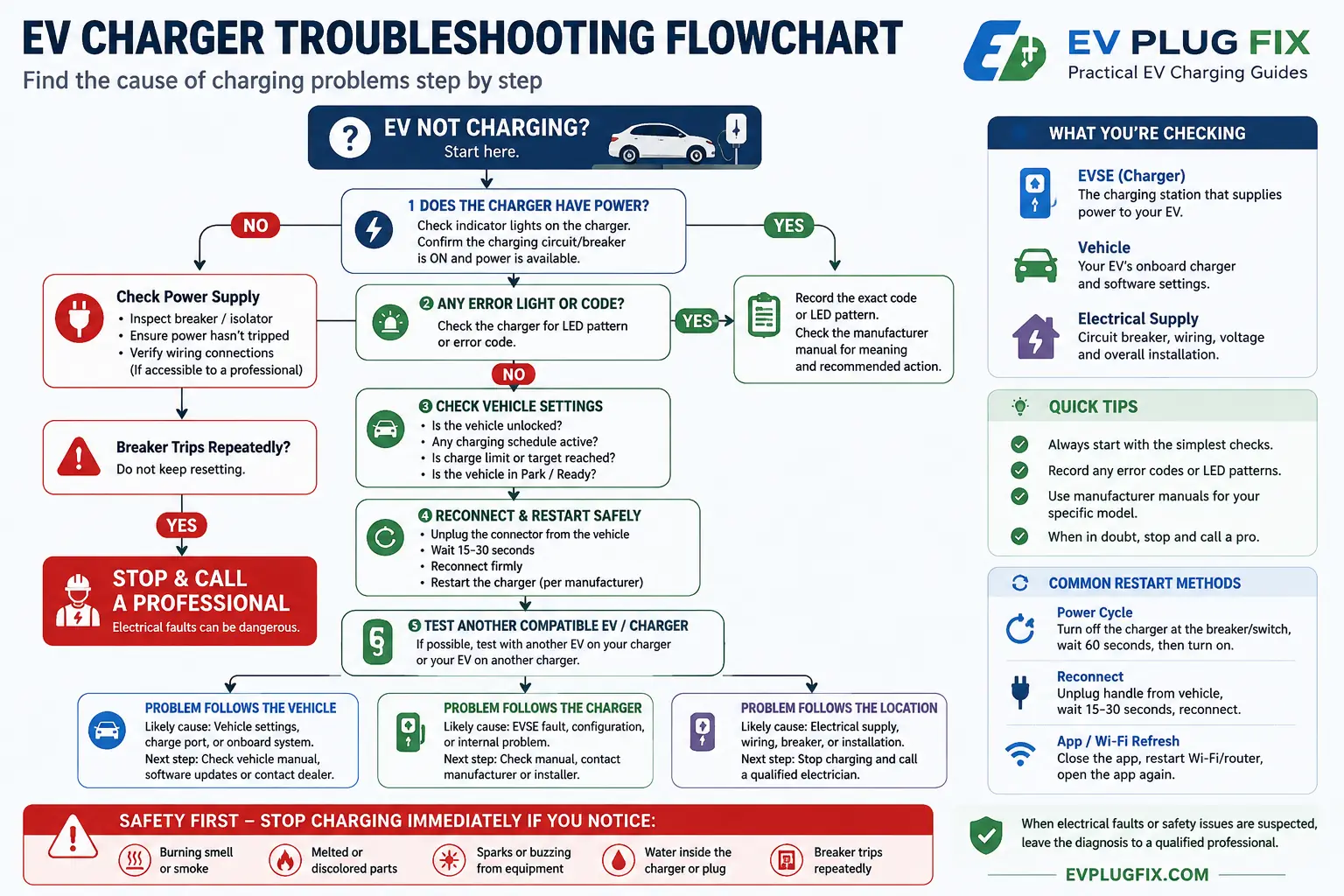
Video: Home EV Charger Troubleshooting Example
The video below provides a visual example of diagnosing common home EV charging problems. Treat it as general troubleshooting context rather than model-specific instructions: always follow the manual and fault-code guidance for your own EVSE.
Safety note: Do not copy any procedure from a general video that conflicts with your charger’s manual or requires opening energized electrical equipment. Electrical testing and hardwired repairs should be left to an appropriately qualified person.
Preventive EV Charger Maintenance
Home charging equipment should not need constant attention, but occasional visual checks can catch deterioration before it becomes a charging failure.
Periodically inspect the cable, connector and accessible EVSE enclosure for damage, excessive wear, discoloration or signs of water ingress. Keep the connector stored in its intended holster or holder rather than leaving it where it can be driven over or contaminated.
Keep the charging interface clean according to the manufacturer’s instructions. Do not spray cleaners or liquids into electrical contacts.
If the charger supports firmware updates, follow the manufacturer’s update policy. Firmware can affect connectivity, vehicle compatibility, smart functions and fault handling.
After unusual events such as flooding, physical impact, visible electrical damage or repeated protective-device operation, do not assume that the charger is safe simply because it powers on again.
When to Stop Troubleshooting and Call a Professional
Basic user troubleshooting should end when the problem moves from settings, connectivity and visual inspection into the fixed electrical installation.
Stop charging and seek qualified help if you notice:
- a burning smell, smoke or visible sparks;
- melted, scorched or significantly discolored components;
- exposed conductors or serious cable damage;
- water inside equipment or suspected flood exposure;
- a breaker or protective device that repeatedly trips;
- persistent ground/earth-fault indications;
- abnormal heating that returns after the equipment cools;
- a hardwired charger that remains completely unpowered;
- a fault code whose manufacturer instructions call for service.
When contacting support, the installer or an electrician, have the charger model and serial number, exact error code or LED pattern, vehicle model, approximate time of the fault and photos of any visible problem ready. That information can shorten the diagnostic process considerably.
EV Charger Troubleshooting FAQ
Why is my EV plugged in but not charging?
Check the connector first, then the vehicle’s charging schedule and charge limit, followed by the EVSE status or error indicator. If the charger has power and another compatible EV charges normally from it, the original vehicle or its settings become more likely causes.
Why does my EV charger keep stopping?
Repeated interruptions can come from vehicle settings, load management, thermal protection, EVSE faults or electrical-supply problems. Record any error code and the conditions when charging stops. Persistent electrical or thermal faults need professional investigation.
What should I do if my EV charger has a red light?
Record whether the light is solid or flashing and count the flashes if applicable, then consult the manual for the exact model. There is no universal meaning for a red EV charger light. If the code indicates an electrical, ground/earth or internal fault, follow the manufacturer’s safety instructions and arrange service where required.
Can I reset an EV charger at the circuit breaker?
Some manufacturers include a breaker power cycle in their troubleshooting procedure, but you should follow the instructions for your specific charger. Do not repeatedly reset a breaker that trips again, and do not remove electrical-panel covers or work on internal wiring as part of a DIY reset.
Bottom Line
Start EV charger troubleshooting with the parts you can check safely: power status, the charging connector, vehicle settings, schedules, error codes and network connectivity. Change one variable at a time so you can identify whether the problem follows the vehicle, charger or charging location.
Once troubleshooting points toward fixed wiring, repeated protective-device operation, ground/earth faults, internal EVSE problems or abnormal heat, stop there. Record the symptoms and have the charger manufacturer, installer or qualified electrician investigate the fault.
Source Transparency
This guide separates user-level troubleshooting from electrical service work. Charger LED meanings, reset procedures, current configuration and fault responses vary by manufacturer and model, so model-specific manufacturer documentation takes priority over generic troubleshooting instructions.
Electrical installation and repair requirements also differ between jurisdictions. Fixed-wiring tests, circuit alterations, protective-device changes and internal hardwired EVSE repairs should be performed only by appropriately qualified persons in accordance with the applicable electrical rules and manufacturer instructions.