How to Use EV Charging Stations: A Step-by-Step Driver’s Manual for 2026
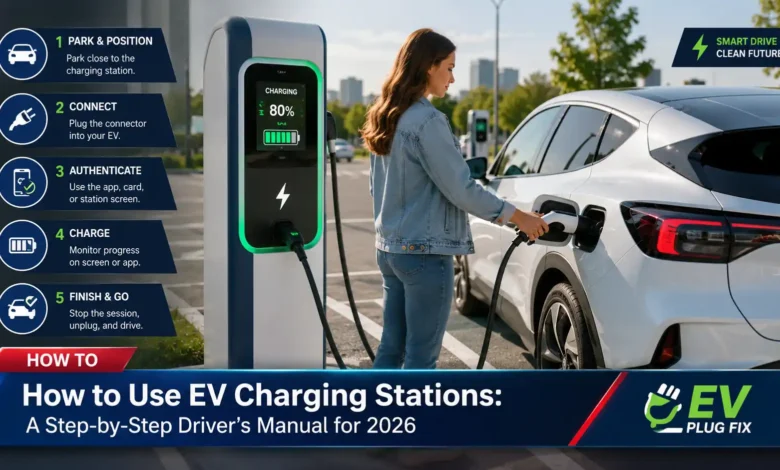
Your Step-by-Step Guide to Using EV Charging Stations
Using a public EV charging station for the first time can feel daunting, but it’s a remarkably straightforward process. Whether you are a new electric vehicle owner or a seasoned driver encountering a new network, the fundamental steps remain consistent across most platforms. This guide will walk you through everything you need to know, from downloading the right app to safely ending your session, ensuring you can charge with confidence in 2026 and beyond.
As the electric vehicle landscape continues to expand, so does the network of public charging stations. Understanding how to navigate these stations is crucial for a seamless driving experience. While the process differs from filling up at a gas station, it offers a new level of convenience, allowing you to “opportunistically” charge while you go about your day. Let’s break down the simple steps to get you from a low battery to a full charge without any hassle.
Before you even plug in, it’s wise to set up your digital toolkit. Many public charging networks operate through mobile apps, which serve as your primary interface for locating stations, initiating sessions, and handling payments. This guide will cover all the essentials, ensuring you are prepared for any situation at a public charger.
Preparing to Charge: Setting Up Your App and Account
The journey to a full battery begins before you even reach the charging station. The most common and convenient way to interact with public EV chargers is through a dedicated smartphone application. To avoid any delays on the road, it is highly recommended to download and set up the relevant apps from the comfort of your home or office. This simple step can save you precious time and frustration later. For a broader understanding of your options, you might also want to consult our Public EV Charging Guide which covers authentication methods in more detail.
Start by researching the major EV charging networks in your area. For instance, drivers in North America might consider apps like ChargePoint, EVgo, or Electrify America, while European users might look into networks like Eleport or local providers. Once you have identified a few key networks, download their apps from the Apple App Store or Google Play Store.
After installation, you will need to create an account. This typically involves providing your email address and setting a password, with some apps offering the convenience of signing in with an existing Google or Apple ID. The next crucial step is adding a valid payment method to your account. Most apps support major credit and debit cards, and some may also accept digital wallets like Apple Pay or Google Pay, or even services like PayPal. It is also a good idea to complete any identity or phone number verification required by the app, as this is often best done on a stable Wi-Fi connection.
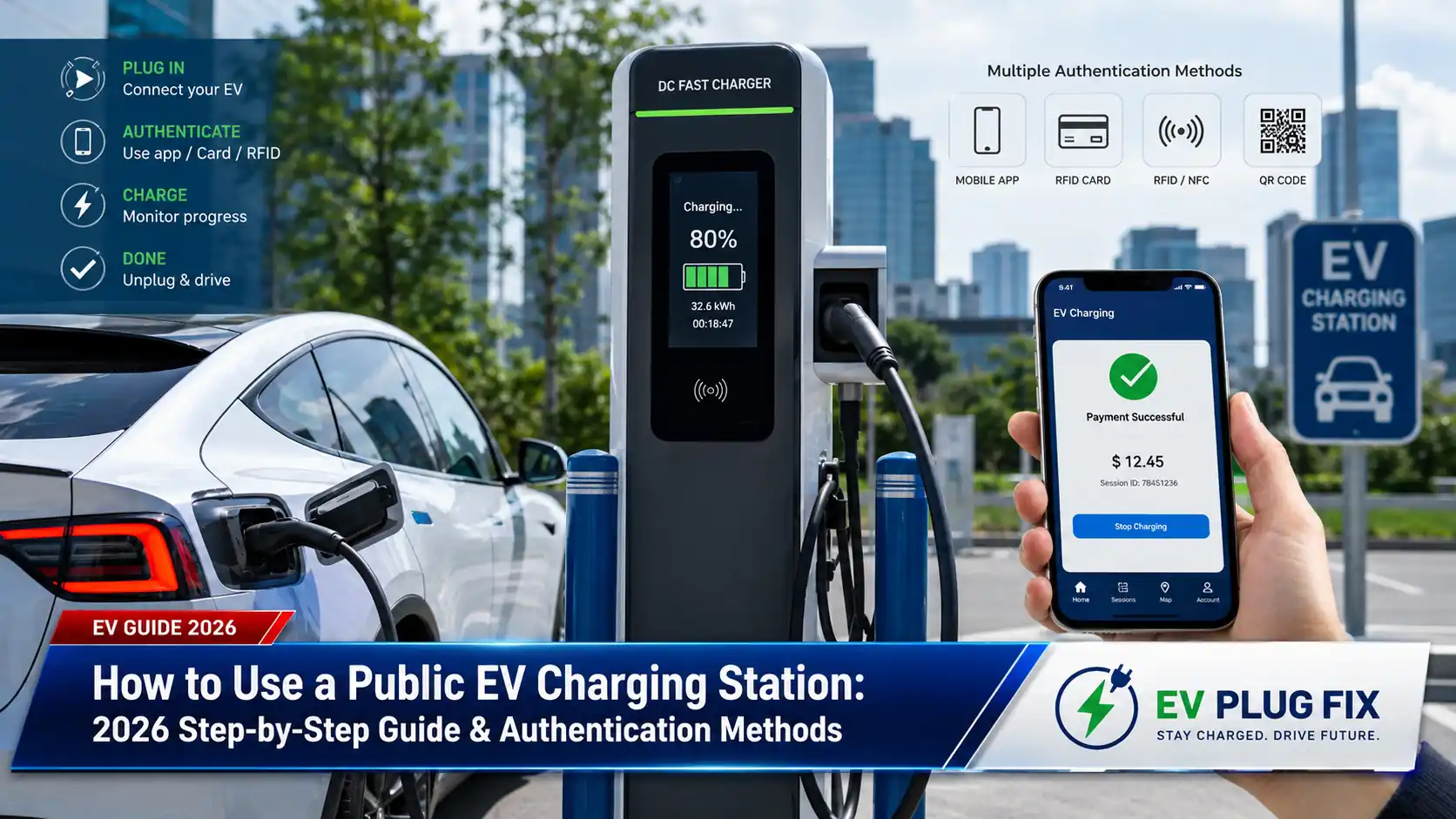
Many providers also offer physical RFID cards or key fobs as an alternative to the app. While not as feature-rich, these cards are incredibly fast and reliable for starting a charging session with just a tap on the station’s reader. You can typically order one through the same provider’s app or website. Having a physical card can be a lifesaver in areas with poor mobile network coverage, acting as a reliable backup to your smartphone. Some charging stations even allow for ad-hoc payment directly at the terminal using a contactless credit or debit card, or by scanning a QR code to access a payment portal, which is particularly useful for drivers who do not have an account with a specific network.
Finding the Right Charger for Your Vehicle
Not all charging stations are created equal, and finding one that is compatible with your electric vehicle is the first physical step in the charging process. Your vehicle’s onboard navigation system or the charging app you have set up are excellent tools for locating nearby stations. These tools will typically provide real-time information on the station’s availability, its maximum charging speed, and the types of connectors it offers.
Filtering your search by connector type is essential. The most common standards in 2026 include:
- CCS (Combined Charging System): The dominant standard for DC fast charging across most modern non-Tesla EVs in Europe and North America.
- Type 2 (Mennekes): The standard AC connector for most European EVs, typically used for slower, “semi-fast” charging up to 22 kW.
- CHAdeMO: An older DC fast-charging standard, primarily found on some models like the Nissan LEAF.
- NACS (North American Charging Standard): The standard developed by Tesla, which is increasingly being adopted by other automakers in North America.
Understanding the difference between AC and DC charging is also key. AC chargers, like the Type 2, deliver alternating current to your car, which is then converted to DC by your vehicle’s onboard charger. These are ideal for locations where you park for a few hours, like work or shopping centers. DC fast chargers, like those using a CCS plug, bypass your car’s onboard charger and deliver direct current straight to the battery, enabling rapid charging speeds of up to 350 kW, perfect for highway stops and quick top-ups. To understand the limits of your vehicle’s charging capabilities, check out our guide on EV On-Board Charger Limits.
A simple piece of EV charging etiquette is to move your vehicle once your session is complete. This is especially important at fast-charging stations where there are often other drivers waiting. Many apps will send you a notification when your car is fully charged, and some networks even charge “idle fees” if you leave your car plugged in after charging is complete. Additionally, it’s often more efficient to stop charging around 80% on a fast charger, as the last 20% takes significantly longer to maintain battery health.
How to Start a Charging Session: App, Card, and Tap Options
Once you have arrived at the charging station and verified its compatibility with your EV, it’s time to start the session. The exact method will depend on the charging network and your preferred authentication method. The most common ways to authorize a public charging session are through a mobile app, an RFID card, or a contactless payment terminal.
Using a Mobile App: This is the most popular and feature-rich method. After parking and connecting the charging cable to your vehicle, open the app. You can usually start the session in one of two ways. Many apps allow you to scan a QR code displayed on the charger itself, which immediately pulls up the station’s details and a “Start Charging” button. Alternatively, you can use the app’s map to find and select the specific station and connector you are using. For instance, the EVCS app allows you to either select a station from its map or manually enter a station ID to begin charging.
Using an RFID Card: This is perhaps the quickest and most straightforward method. Once the cable is connected, simply tap your pre-registered card or key fob on the card reader symbol on the charging station. The station will authenticate you and begin the charging process. This method is favored by daily commuters for its simplicity and reliability, and it eliminates the need to pull out your phone.
Contactless Payment (Tap-to-Pay): Many modern public chargers now feature an integrated EMV payment terminal, allowing you to tap your credit or debit card or your phone’s digital wallet directly on the station to start a session. This “ad-hoc” payment method is perfect for drivers who are not registered with a specific network and do not want to download a new app. For example, ChargePoint offers a “Tap to Charge” feature where you can hold your phone with the ChargePoint pass in your Apple Wallet or with NFC enabled over the station’s reader to unlock the connector and start charging.
What to do if the session doesn’t start? If you encounter issues, there are a few common fixes. First, ensure the charging cable is fully and securely plugged into your vehicle. Second, make sure your car is turned off; many stations require this to establish a connection. Finally, check that your payment method in the app is valid and has sufficient funds. If problems persist, restarting the session or contacting the network’s customer support line, which is often available 24/7, can help resolve the issue.
Connecting the Cable and Monitoring Your Charging Session
With the session authorized, it’s time to connect the cable. At some stations, particularly DC fast chargers, the cable is tethered to the unit, so you simply need to plug it into your car’s charging port. For other stations, especially AC chargers, you may be required to use your own charging cable, which is often stored in your vehicle’s trunk. Make sure you hear a click to confirm the cable is securely locked in place.
Once connected, the charging process will begin, though it can sometimes take up to 60 seconds for the station and your vehicle to complete their initial “handshake” to negotiate power delivery. You can track the progress of your charging session through several interfaces: your car’s dashboard, the display screen on the charging station itself, or your smartphone app. These screens will typically show real-time information such as the current charging speed in kilowatts (kW), the total energy delivered in kilowatt-hours (kWh), and the estimated time remaining until your target charge is reached.
Managing your payment is just as seamless. Most apps handle the billing automatically at the end of the session, providing you with a digital receipt and a session summary. You can view your complete charging history directly in the app, making it easy to track your spending. Some apps also offer advanced features like scheduled charging, where you can set the charging to begin at a specific time, such as during off-peak electricity hours, to save money.
A key piece of advice for EV charging best practices is to avoid leaving your vehicle at the station for longer than necessary. To be courteous to other EV drivers, try to move your car once your charging session is complete. This is especially crucial at fast-charging stations where wait times can be long. For more tips on keeping your equipment safe and efficient, see our EV Charger Safety Guide.