EV Charger Troubleshooting Guide 2026: Fix Common Home Charging Problems Fast
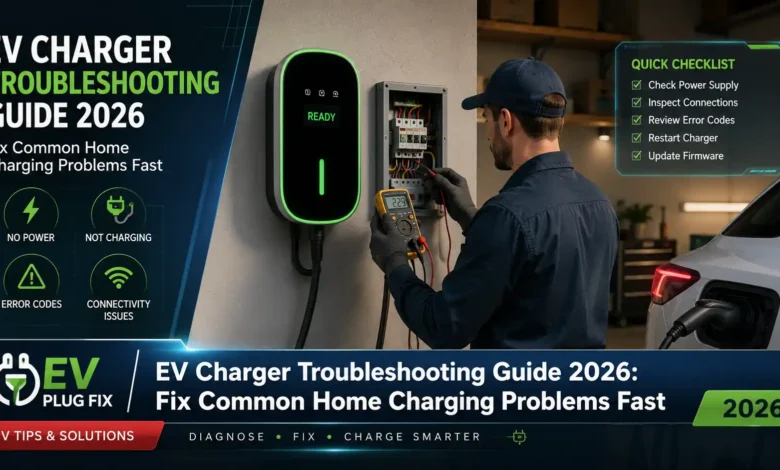
EV charger troubleshooting doesn’t have to be complicated or expensive, yet thousands of electric vehicle owners find themselves staring at error lights and blinking displays every month. Whether you’re dealing with a charger that won’t start, frustrating power reductions, or app connectivity that’s suddenly stopped working, the solution is often simpler than you’d expect. In 2026, as more households embrace electric mobility, understanding your home charging equipment has become essential knowledge for every EV owner.
Your EV charger operates at the intersection of your home’s electrical system, advanced digital controls, and your vehicle’s battery management technology. Problems can emerge from any of these three areas, making systematic troubleshooting your most valuable skill. This guide walks you through the ten most frequent charging problems reported by EV owners and delivers practical, proven solutions you can implement immediately.
Most EV charging problems can be resolved in under ten minutes without any special tools or technical expertise.
Understanding Your EV Charger Before Troubleshooting
Modern EV chargers are sophisticated pieces of equipment that include multiple safety mechanisms protecting both your vehicle and your home’s electrical system. Overcurrent protection, overvoltage safeguards, short-circuit detection, and thermal monitoring all work together to prevent damage during charging sessions. When these systems detect something unusual, they may pause charging—creating what initially looks like a malfunction but is actually your equipment doing exactly what it should.
Your charging system has three main components: the charger itself, your home’s electrical infrastructure, and your vehicle’s onboard charging system. A problem in any of these areas can disrupt the entire charging process. This is why effective troubleshooting requires checking each component systematically, starting with the simplest possibilities before moving to more complex diagnostics.
EV Charger Won’t Start or Initiate Charge
Nothing is more frustrating than plugging in your EV only to watch the charger remain completely unresponsive. This common EV charger problem typically has straightforward fixes that get you charging again in minutes.
Start with the basics: Unplug the charging cable from your vehicle, wait 30 seconds, and reconnect it firmly. You should hear or feel a distinct click when properly connected. This simple reset resolves a surprising number of charging initiation failures by resetting the EV Charging Handshake between charger and vehicle.
If that doesn’t work, restart the charger by turning off the power switch, waiting one minute, and turning it back on. For wall-mounted units without a visible power switch, locate the dedicated circuit breaker in your electrical panel and flip it off and on. This power cycle clears any temporary software glitches or communication errors that may have developed.
Physical inspection matters too. Examine the charging connector, cable, and control box for visible damage—cracks, melted plastic, rust, or loose connections all require attention. If your vehicle’s charging port appears dirty or wet, wipe both the port and connector pins with a clean, dry cloth before attempting another connection.
Expert Tip: Many EV models require the vehicle to be unlocked or a specific button pressed near the charging port before charging can begin. Check your owner’s manual for your vehicle’s specific starting procedure.
Charging Power Lower Than Expected
Many EV owners invest in high-powered chargers expecting rapid charging speeds, only to discover their vehicle charges much more slowly than anticipated. This EV charging power issue creates confusion and concern, but it’s usually working exactly as designed.
The limiting factor principle: Your actual charging speed is determined by whichever component has the lower capacity—your charger or your vehicle’s onboard charger. If you have a 22kW charger but your EV only supports 7kW single-phase charging, you’ll receive exactly 7kW, regardless of your charger’s capability. Understanding EV Battery Charging Methods helps clarify why these limitations exist and how they affect your daily charging routine.
Grid voltage directly affects charging power. The formula Power (kW) = Voltage (V) × Current (A) ÷ 1000 explains why a 12kW charger might only deliver 10kW when your home’s voltage drops below the standard 230V or 240V. This is normal behavior, not equipment failure.
Your vehicle’s battery management system automatically limits charging current based on temperature and state of charge. This is particularly noticeable during extreme weather or when the battery is nearly full. Purchasing a 32A charger but observing only 28A or 20A during charging is completely normal—your vehicle determines the actual draw based on its current conditions and capabilities.
Frequent Charging Interruptions or Abnormal Termination
Repeated charging interruptions can be especially frustrating, particularly when you wake up to discover your EV hasn’t charged overnight. This EV charger problem requires a systematic diagnostic approach to isolate the cause.
Isolate the source: If possible, test your charger with a different EV. If the second vehicle charges normally, the problem lies with your vehicle’s charging configuration or battery management system. Contact your EV manufacturer—they may need to update software or adjust charging parameters specific to your model.
If multiple vehicles experience the same interruptions, the problem is with your charger or electrical supply. Check for insufficient circuit capacity, loose connections in your electrical panel, voltage fluctuations in your home system, or ground fault issues triggering protective mechanisms. Proper Dedicated EV Circuits are essential for reliable charging performance and preventing these types of interruptions.
Environmental factors play a significant role in charging interruptions. Temperature extremes can activate built-in thermal protection, temporarily halting charging until the unit cools down or warms up. Quality outdoor chargers handle weather variations well, but extreme conditions can still trigger these safety features. Vehicle settings also matter—some EVs have charging timers or maximum charge limits programmed through the vehicle interface. Verify your vehicle isn’t set to stop charging at a specific time or battery percentage.
App Connectivity and Smart Features Not Working
Modern EV chargers with WiFi connectivity and smartphone apps offer convenient remote monitoring and scheduling, but these smart features occasionally fail. When this happens, your charger may still provide basic charging functionality, but you lose valuable control capabilities.
WiFi and app troubleshooting steps: Ensure your charger is within range of your WiFi router. EV chargers installed in garages or outdoor locations often struggle with weak signals. Consider installing a WiFi extender if signal strength is poor—this simple fix resolves many connectivity complaints. For advanced smart home integration, exploring go-e Smart Home Setup options can provide additional troubleshooting insights and automation possibilities.
For chargers using Tuya Smart or Smart Life apps, verify that your smartphone’s WiFi and Bluetooth are both enabled during setup. Follow the correct pairing procedure in the app, ensure the charger is in pairing mode (check your specific model’s manual), and confirm your router isn’t blocking the device through MAC address filtering or firewall settings.
Critical Connection Tip: Many smart EV chargers only support 2.4GHz WiFi networks, not 5GHz. If you have a dual-band router, ensure your charger is connecting to the 2.4GHz network. This single adjustment solves a significant percentage of connectivity problems.
If the app previously worked but stopped connecting, try removing the device from the app and re-adding it. Also verify both the app and your smartphone’s operating system are updated to the latest versions. When all else fails, reset the charger’s WiFi settings and reconfigure the network connection from scratch.
EV Charger Displaying Error Codes or Warning Lights
Most modern EV chargers include LED indicators or display screens showing error codes when problems are detected. Understanding these EV charger error codes helps you quickly identify and resolve issues before they escalate.
Ground fault errors: This critical safety feature requires immediate attention. If your charger displays a ground fault error, stop using the charger immediately. Inspect the wiring in the distribution box supplying power to the charging station. Check for any unintended contact (short circuit) between wires. If you find contact between wires and have appropriate electrical knowledge, safely disconnect power, separate the wires, and secure them properly. If you lack electrical expertise or cannot identify obvious issues, contact a certified electrician without delay. Understanding EV Charger RCD Types can help you better comprehend the protection mechanisms at work in your system.
Overcurrent protection activation: When the charger detects current exceeding safe levels, it automatically shuts down. This can occur if the charging current exceeds your circuit breaker’s rating or the vehicle draws more current than the charger’s capacity. Adjust the current setting to a lower value using the charger’s control panel or app. The charging current should never exceed 80% of your circuit breaker’s rating for continuous loads.
Temperature warnings: If your charger shuts down due to high temperature, allow it to cool for at least 30 minutes before attempting to charge again. Ensure the charger has adequate ventilation and isn’t exposed to direct sunlight or heat sources. Repeated temperature shutdowns may indicate a ventilation problem or an internal component issue requiring professional service.
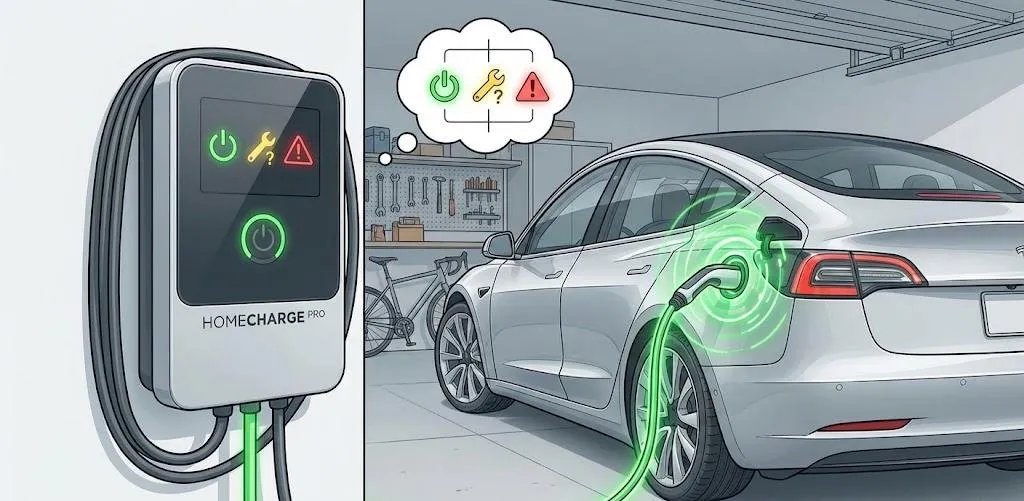
Smart EV chargers feature diagnostic displays that help owners quickly identify and resolve charging issues
EV Charger Not Responding to Current Adjustments
Adjusting charging current is essential for preventing circuit overload and optimizing charging based on your home’s electrical capacity. When your EV charger ignores adjustment attempts, follow these troubleshooting steps.
Current adjustment procedure: Before charging begins, press the adjustment button (typically labeled “A”) on the control box to set your desired current level. The current setting must not exceed your circuit’s supply current capacity—for example, if you have a 40A circuit, set the charger to 32A maximum (following the 80% rule for continuous loads).
If the charger doesn’t respond to button presses, ensure the charger is powered but not actively charging. Try accessing current settings through the smartphone app instead. Power cycle the charger and attempt adjustment again. Verify the buttons aren’t physically damaged or stuck. For chargers with load balancing features, current adjustment may need to be performed through specific menu options—access the menu, swipe your RFID card if required, select the charge plan option, choose total current, and adjust within the safe range.
Physical Damage or Wear on Charging Equipment
Physical inspection should be part of your regular EV charger maintenance routine. Cable and connector damage creates serious safety hazards and charging problems.
Regular inspection checklist: Examine the charging cable for cuts, abrasions, or exposed wiring. Look for kinks or excessive bending that may damage internal conductors. Watch for signs of rodent damage—particularly common in outdoor installations. Check for melting or discoloration indicating overheating. Inspect the charging connector for bent or broken pins, corrosion on electrical contacts, cracks in the connector housing, and debris or foreign objects in the connector socket. Also examine the control box for cracks in the casing, water ingress (even though units are rated weatherproof), damage from impact or dropped items, and screen malfunctions or display errors. Understanding EV Charger IP Ratings helps you know what level of environmental protection your specific model provides.
Safety Warning: EV chargers are not user-serviceable. Never attempt to open the charger housing or repair internal components yourself. If you identify physical damage, discontinue use immediately and contact the manufacturer or an authorized service center. Attempting DIY repairs will void your warranty and may create dangerous electrical hazards.
EV Charger Compatibility Issues with Specific Vehicle Models
While modern charging standards ensure broad compatibility, some vehicle-charger combinations can experience issues that require specific attention.
Compatibility verification: Confirm your charger supports your vehicle’s charging standard. Common standards include Type 1 (SAE J1772) common in North American and Japanese vehicles, Type 2 (IEC 62196-2) the European standard, GB/T 20234 for Chinese vehicles, and NACS (Tesla) for Tesla vehicles and newer EVs adopting Tesla’s standard. For European EV owners, familiarizing yourself with the European EV Connectors Guide is essential for understanding compatibility requirements.
Some vehicles have unique charging characteristics requiring specific charger settings or firmware updates. Check with your charger manufacturer about any known compatibility issues with your vehicle model. If you recently updated your vehicle’s software and subsequently experienced charging problems, the update may have changed charging parameters. Contact your vehicle manufacturer to report the issue and inquire about any known conflicts.
Scheduled EV Charging Not Activating
Many EV owners use scheduled charging to take advantage of off-peak electricity rates, but this feature sometimes fails to activate as expected. Resolving scheduled EV charging problems requires a few specific checks.
Schedule conflict resolution: First, verify whether the schedule is set in the charger or the vehicle. Having conflicting schedules in both can prevent charging from starting. As a general rule, it’s best to use either the vehicle’s scheduling or the charger’s scheduling, not both simultaneously.
If using the charger’s scheduling function, double-check the scheduled time in the app or control panel, verify the charger’s clock is set correctly, ensure the charger has power during the scheduled time, and confirm that scheduled charging is enabled (it can be accidentally disabled). If using the vehicle’s scheduling, check the vehicle’s settings menu for schedule confirmation, verify the vehicle’s clock matches your timezone, ensure the vehicle is plugged in before the scheduled start time, and confirm the schedule isn’t overridden by a “charge now” command. For chargers with delay time functions (typically accessed via the “D” button), ensure the delay setting isn’t conflicting with your intended schedule.
RFID Card Not Working on EV Charger
Chargers with RFID security features require card authentication before allowing charging to begin. When your RFID card isn’t recognized, follow these troubleshooting steps.
RFID troubleshooting: Ensure the card is properly registered in the charger’s system. Try re-registering the card through the charger’s menu or app. Verify the card isn’t damaged or demagnetized. Check if the card reader is clean and functioning (try multiple cards if available). Some chargers allow disabling RFID requirements through settings for testing purposes.
To register a new RFID card, access the charger’s menu system, navigate to card management, and follow the registration procedure specific to your charger model. Most systems require you to present the new card while in registration mode. If you’ve lost your registered card, the charger will need to be reset to allow new card registration—this typically requires manufacturer support or specific button sequences documented in your manual.
Preventive EV Charger Maintenance and Best Practices
Preventing problems is far easier than fixing them. Incorporate these EV charger maintenance practices into your routine for reliable, trouble-free charging.
Regular inspections: Conduct monthly visual inspections of your charging equipment, looking for any signs of damage, wear, or environmental degradation. Pay special attention to cable connectors and the area where the cable enters the control box.
Keep it clean: Wipe down the charging connector with a dry cloth before each use, especially if stored outdoors. Dust and moisture on connector pins can interfere with proper connection and communication. A clean connector ensures reliable electrical contact and prevents overheating.
Proper storage: When not in use, store the charging cable properly. Use the provided holster or cable management system to prevent the cable from being stepped on, run over, or damaged. Cables left on the floor present tripping hazards and are more likely to suffer damage.
Firmware updates: If your charger supports firmware updates through the app, install them when available. Updates often include bug fixes, performance improvements, and compatibility enhancements for newer vehicle models.
Seasonal considerations: In extreme cold, your charger and vehicle may require longer to initiate charging as the battery management system warms the battery pack. In extreme heat, charging may be slower or temporarily pause to prevent overheating. These are normal protective functions, not equipment failures.
| EV Charger Problem | Primary Causes | Quick Solution |
|---|---|---|
| Charger won’t start | Loose connection, communication error | Unplug/reconnect, power cycle |
| Low charging power | Vehicle limitation, grid voltage | Verify vehicle specs, check voltage |
| Frequent interruptions | Circuit capacity, temperature, settings | Test with another EV, inspect electrical |
| App connectivity failure | WiFi signal, network settings | Check 2.4GHz network, re-add device |
| Error codes displayed | Ground fault, overcurrent, overheating | Follow code-specific resolution steps |
| Current adjustment ignored | Charger in active state, button damage | Stop charging, use app, power cycle |
| Physical damage | Wear, rodents, weather, impact | Discontinue use, contact manufacturer |
| Scheduled charging fails | Conflicting schedules, clock settings | Use one schedule system only |
When to Call Professional Help for EV Charger Problems
While many EV charger issues can be resolved through basic troubleshooting, certain situations require professional assistance to ensure safety and proper resolution.
Call a professional immediately if you encounter:
- Any situation involving a ground fault error that you cannot safely resolve
- Physical damage to cables, connectors, or the control box
- Persistent problems after trying all troubleshooting steps
- Issues that may involve your home’s electrical system
- Situations where you’re uncomfortable working with electrical equipment
- Burning smells, unusual sounds, or visible sparks
When contacting customer service or technical support, have this information ready:
- Your charger’s model number and purchase date
- A clear description of the problem including when it started
- Any error codes displayed on the charger
- Photos or videos showing the issue
- Your vehicle make, model, and model year
- Details about your home’s electrical setup if relevant
Most reputable EV charger manufacturers offer two-year warranties and lifetime technical support. Don’t hesitate to reach out with photos and videos documenting your issue—support teams can often identify problems quickly with visual evidence. If you’re still within your warranty period, professional service may be covered at no cost.
When it comes to electrical equipment, safety always trumps DIY problem-solving. If you’re unsure about any troubleshooting step, stop and call a professional.
Frequently Asked Questions About EV Charger Troubleshooting
Why does my EV charger keep stopping and starting?
This usually indicates thermal protection activation, voltage fluctuations, or a loose connection. Check your charger’s ventilation, verify all connections are secure, and monitor for voltage drops during charging.
Can extreme weather affect my EV charger’s performance?
Yes, both extreme heat and cold can trigger protective mechanisms that temporarily reduce charging speed or pause charging until safe operating temperatures are restored.
How often should I update my EV charger’s firmware?
Update whenever the manufacturer releases new firmware through the app or website. These updates often include important bug fixes, compatibility improvements, and security enhancements.
Why won’t my EV charger connect to the app after a power outage?
Power outages can disrupt network connections and reset certain settings. Try power cycling the charger, reconnecting to your WiFi network, and removing/re-adding the device in the app.
Is it safe to use an extension cord with my EV charger?
No. EV chargers should always be plugged directly into a dedicated outlet or hardwired. Extension cords create fire hazards and voltage drop issues that can damage your charger or vehicle.
What does the red light on my EV charger mean?
Red lights typically indicate an error condition. Consult your charger’s manual for the specific meaning of each light pattern, as different models use different diagnostic indicators.
Regular maintenance and prompt attention to warning signs keep your EV charger reliable for years. When in doubt, consult your manual or contact the manufacturer’s support team—they’re there to help.
Understanding how your EV charger works, maintaining it properly, and knowing how to address common issues ensures reliable, safe charging for the life of your equipment. Most EV charger problems have straightforward solutions that any owner can implement, but always prioritize safety and know when to call for professional assistance. With proper care and timely troubleshooting, your home EV charging experience remains as convenient and worry-free as intended.