How to Use Public EV Fast Chargers in 2026: A Step-by-Step Guide for New Owners
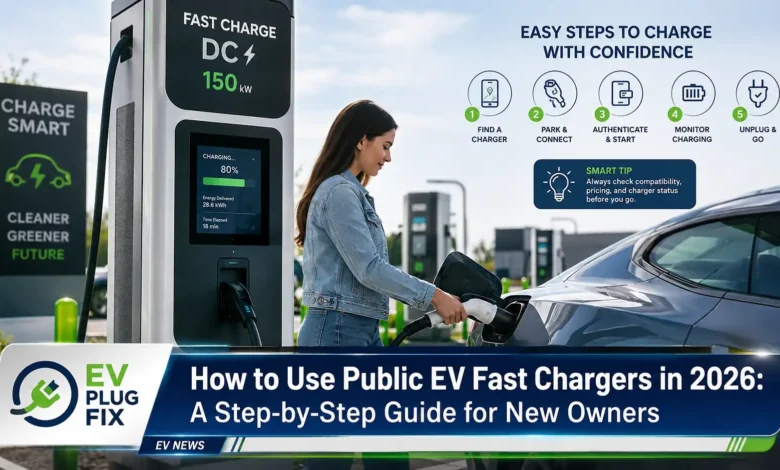
Public EV fast charging is the essential skill every new electric vehicle owner must master in 2026 to unlock the full potential of their car and enjoy stress-free road trips. Unlike the familiar routine of pulling into a gas station, the world of public charging introduces a new vocabulary of connector types, network apps, billing models, and battery management systems that can feel overwhelming at first. But once you understand the fundamentals, the process becomes as simple as fueling a conventional vehicle — and often faster. This guide walks you through each step of your first public fast-charging session, from identifying your vehicle’s plug to troubleshooting common issues, ensuring you hit the road with absolute confidence.
Understanding EV Connector Types: The First Step to a Successful Charge
The single most important thing to know before you arrive at a public charging station is which connector type your vehicle uses. Unlike the universal gas nozzle, EV connectors are not one-size-fits-all; different regions and manufacturers have adopted distinct standards. The good news is that getting this wrong simply means the plug won’t physically fit, so there is no safety risk. However, knowing your connector upfront saves significant time and prevents unnecessary frustration at the charger. For drivers who frequently travel between regions with different standards, EV Charging Adapters can be a practical solution.
DC Fast Charging vs. AC Charging: What’s the Difference?
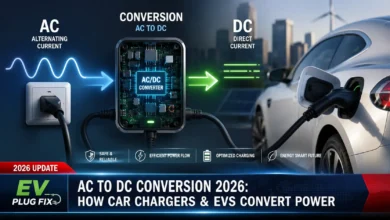
Public fast chargers are almost exclusively Direct Current (DC) chargers. While your home charger uses Alternating Current (AC) that your car’s onboard inverter converts to DC, a DC fast charger bypasses this conversion entirely and pushes power directly into the battery. This is the secret behind their remarkable speed. When you hear terms like “Level 3 charging” or “fast charging,” they are typically referring to DC fast charging, which can replenish a battery from 10% to 80% in 20 to 40 minutes depending on the vehicle and charger capability.
Global Connector Standards at a Glance
| Connector Type | Region | Max Power | Typical Vehicles |
|---|---|---|---|
| CCS1 (Combined Charging System) | North America | Up to 350 kW | Ford, GM, Volkswagen, BMW, Hyundai, Kia |
| CCS2 | Europe | Up to 350 kW | Most European EVs (Audi, Mercedes, Porsche, Renault) |
| NACS (North American Charging Standard) | North America | Up to 250 kW (1 MW capable) | Tesla, Ford, GM, Rivian, Volvo, Polestar (adopting) |
| CHAdeMO | Japan, some global | Up to 100 kW | Nissan Leaf, Mitsubishi Outlander PHEV (legacy) |
| GB/T DC | China | Up to 480 kW | All Chinese-market EVs (BYD, NIO, Xpeng, Geely) |
Before You Leave Home: Essential Pre-Trip Preparation
A little preparation before you depart transforms a potentially stressful experience into a smooth and efficient stop. Most first-time charging problems occur simply because drivers arrive unprepared. Here is a quick pre-trip checklist to ensure you are ready.
Your Pre-Departure Checklist
- Download and register with the charging network’s app before you need it. This includes adding a payment method — credit card or prepaid balance — and verifying your account is active.
- Check real-time station availability through the app to confirm chargers are operational and not in use, saving you a wasted trip.
- Know your vehicle’s maximum charge acceptance rate in kilowatts (kW). This determines the maximum speed you can achieve, regardless of the charger’s output.
- Set a charging goal — for daily driving, 80% is the sweet spot for speed and long-term battery health. Save 100% charges for long road trips where you need maximum range.
- Consider keeping a physical RFID charging card as a backup for locations with poor mobile signal, such as underground parking garages.
“The most common mistake new EV owners make is assuming a session has started just because the cable is plugged in. Always, always verify that live power reading.”
Recommended Charging Apps for 2026
PlugShare
The undisputed community map for finding and verifying station status worldwide using real-time user check-ins.
Electrify America
America’s largest highway fast-charging network with chargers up to 350 kW, perfect for road trips.
ChargePoint
One of the most extensive networks across North America and Europe, offering both AC and DC charging.
Tesla App
Even non-Tesla owners benefit now that the Supercharger network is opening to other brands. To understand more about Tesla’s charging infrastructure, check out our guide on Tesla Supercharger Availability.
ABRP (A Better Routeplanner)
Essential trip planning tool that integrates charging stops with real-time range calculations and elevation data.
Step-by-Step Public Fast Charging Process
Once you arrive at the station, the process follows a straightforward sequence. Here is a detailed walkthrough of your first public fast charge, from parking to driving away.
The Seven Steps to a Successful Charge
- Park and Open the Charge Port: Pull into the charging bay, ensuring the cable can comfortably reach your vehicle’s charge port. Open the port lid from your car’s touchscreen, a dedicated button, or your vehicle’s app.
- Check the Charger Screen Status: The display should show “Available” or “Ready.” If it shows “Faulted” or “Out of Service,” move to the next unit immediately.
- Scan, Tap, or Swipe to Authenticate: Open the network’s app, tap “Scan,” and scan the QR code on the charger. Select the correct connector number and tap “Start Charging.” Alternatively, tap your RFID card or credit card on the payment reader if supported.
- Insert the Charging Cable: Pick up the cable, align the connector with your charge port, and push it in firmly until you hear a distinct click. This click confirms a secure, locked connection. Never force a connector — if it does not fit easily, you likely have the wrong plug.
- Confirm Charging Has Started: Wait 10 to 30 seconds and watch for a live power reading in kW on the charger display and a charging animation on your vehicle dashboard. A reading of 0 kW after 60 seconds means the handshake failed — proceed to the troubleshooting section.
- Lock the Car and Take a Break: You can lock your car and leave. The charging cable is automatically locked to the vehicle during active charging. Enable push notifications in the app to receive alerts when your target level is reached.
- End the Session and Unplug: Tap “Stop Charging” in the app or wait for automatic completion. Unlock your car doors to release the connector lock, press the release button on the cable handle, and pull the cable straight out. Return the cable to its holster and close your charge port lid.
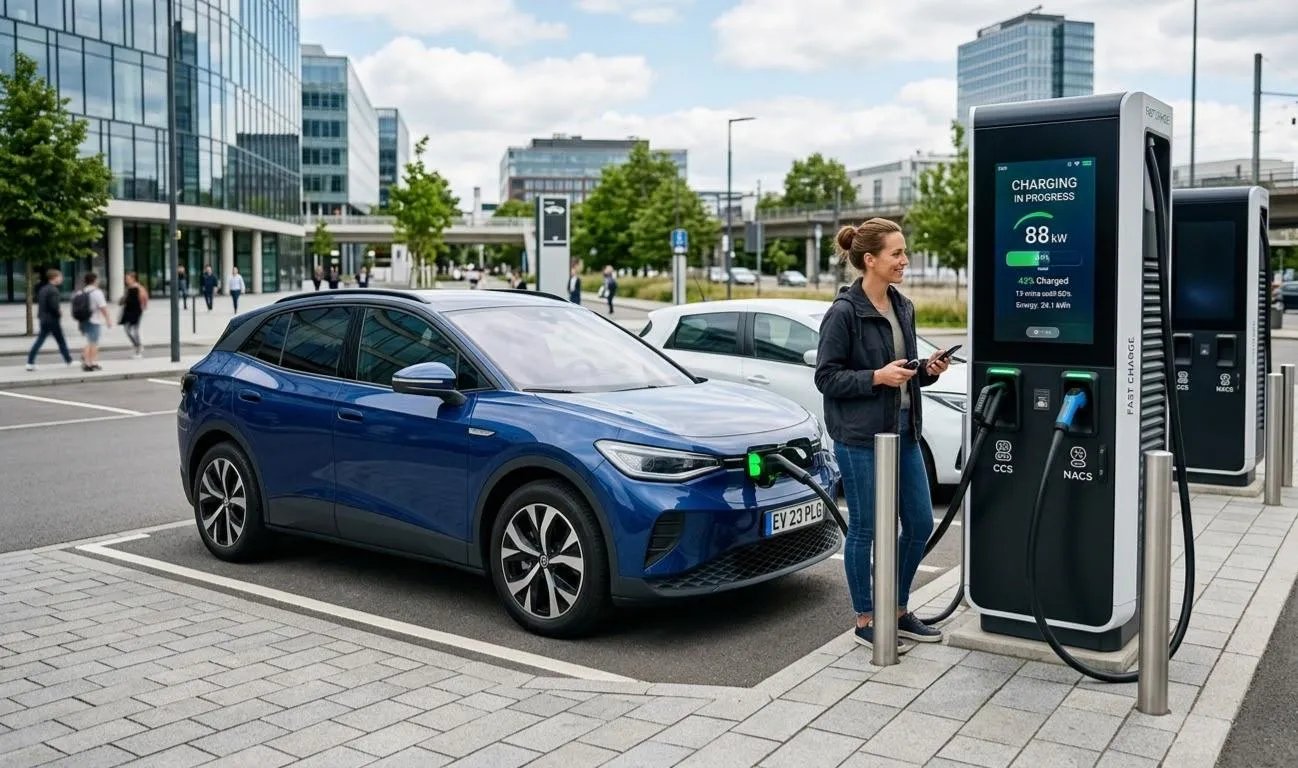
Your smartphone is the key to unlocking public charging. These apps turn a complex network into a seamless experience.
Charging Speed and Billing: What to Expect
Understanding charging speed helps you plan your time efficiently. The actual speed you receive is always determined by whichever is lower: the charger’s rated output or your vehicle’s maximum acceptance rate. Here is a breakdown of typical speeds you will encounter.
Charging Speed Overview
- Home Slow Charging (AC): 3.3 to 7 kW. Takes 8 to 12 hours for a full charge. Best for overnight charging. For a professional installation, consider EV Wallbox Installation to optimize your home charging setup.
- Public AC Fast Charging: 7 to 22 kW. Takes 2 to 5 hours. Suitable for shopping or work visits.
- DC Fast Charging (Standard): 50 to 150 kW. Takes 30 to 60 minutes to 80%. Best for highway rest stops.
- Ultra-Fast DC Charging: 250 to 480 kW. Can reach 80% in under 20 minutes. Ideal for long-distance road trips.
Why the 80% Rule Matters
Lithium-ion batteries charge fastest between 10% and 80%. Beyond 80%, the Battery Management System (BMS) deliberately slows the charge rate — sometimes by 50% or more — to protect the cells from degradation. For daily driving, target 80% at public fast chargers to maximize speed and preserve long-term battery health. Save full charges for long road trips where you need every mile of range. For a deeper dive into battery technology, read our NMC Battery Analysis.
Understanding Billing Models
| Billing Method | How It Works | Best For |
|---|---|---|
| Per kWh | Pay for each unit of energy delivered | Transparent and fair; rewards efficient, high-power sessions |
| Per Minute | Fixed rate per minute of charging | High-power chargers; disadvantages vehicles with lower acceptance rates |
| Per Session | Flat fee per charge start | Can be expensive for short top-ups; better for longer sessions |
| Membership | Monthly fee for discounted rates | Regular fast-chargers; calculate break-even usage before subscribing |
Navigating Charging Apps and Networks Efficiently
The public charging landscape involves multiple competing networks, each with its own app, pricing, and membership structure. Here is how to navigate this ecosystem without overwhelming yourself.
Building Your Optimal App Stack
Most experienced EV drivers maintain accounts with two to four charging networks. A practical starting set for North America includes:
- PlugShare: Always install first. Use it to find stations and read real-time user check-ins before you go.
- Your primary regional network: ChargePoint, Electrify America, or EVgo depending on your area.
- Tesla App: Even non-Tesla owners benefit now that the Supercharger network is open to other brands.
- ABRP: Essential for planning any road trip with charging stops pre-calculated based on your vehicle’s specific efficiency.
Are Membership Programs Worth It?
Most major networks offer paid membership plans, typically four to ten dollars per month, that reduce per-kWh or per-minute rates. To find your break-even point: divide the monthly membership fee by the difference between the standard rate and the member rate. If you regularly fast charge more than the resulting kWh amount per month, the membership pays for itself. For more information on pricing structures and app features, explore Plug & Charge Pricing.
The RFID Card Backup
Physical RFID cards, usually free or low cost from the charging network, work without smartphones, data connections, or app logins. They are invaluable in areas with poor mobile signal and serve as an excellent backup when your phone battery is low. Request one from each network you use regularly and keep it in your glove compartment.
Common Problems and Solutions at Public Chargers
Even experienced EV drivers encounter issues at public chargers. Here is a reference for the most frequent problems and exactly how to resolve them.
Problem: Connected but Showing 0 kW
This is the most common issue and usually indicates a failed communication handshake between the charger and your vehicle.
- Wait 30 to 60 seconds — some chargers negotiate the connection slowly.
- In the app, tap Stop then restart the session.
- Unplug the cable, wait 10 seconds, and reinsert firmly until you hear the click.
- Try a different connector on the same station or move to a different charger entirely.
- Call the network’s customer support number printed on the charger — they can remotely reset the unit in most cases.
Problem: Charging Stopped Mid-Session
A session that stops before your target level can have several causes:
- You reached a pre-set charge limit in the app or in your vehicle’s own settings.
- The charger overheated and triggered a thermal protection shutdown — wait 10 minutes and retry.
- Your account balance ran low — top up and restart.
- The station’s maximum session duration was reached — start a new session.
- Your vehicle’s BMS detected a condition and paused charging — check your vehicle dashboard for alerts.
Problem: Cannot Unplug the Cable
The connector is physically locked to your vehicle while the session is active. To release it: tap Stop Charging in the app, then unlock your car doors — the lock releases when the car is unlocked. If the lock is stuck after stopping, restart the car and try again. Never yank the cable, as this can damage both the charge port and the cable.
Problem: Charging Speed Much Slower Than Expected
- Your vehicle’s max acceptance rate is lower than the charger’s rated output. This is normal — speed is always limited by whichever is lower.
- The battery is above 80% and the BMS has intentionally reduced the rate.
- Battery temperature is too low (common in winter) or too high (after aggressive driving or in extreme heat).
- You are sharing a charger cabinet with another vehicle — total output is split between two sessions at some stations.
Safety and Best Practices for Public Charging
Public fast charging is very safe when done correctly. The equipment is designed with multiple protection layers, but following these key safety points will ensure every session is secure.
Electrical and Equipment Safety
- Never insert or remove a charging cable with wet hands. Charging equipment is weatherproof but the plug itself should stay dry during connection.
- Do not charge in locations with standing water above wheel-hub depth.
- Inspect the cable and connector for visible damage before each use. Report damaged equipment to the network.
- Never modify or tamper with charging equipment. Damaged connectors can cause arcing.
- If you smell burning or see sparks, press the emergency stop button on the charger or call emergency services immediately.
Vehicle Safety During Charging
- Keep your vehicle in Park throughout the entire charging session. Never attempt to drive away without first ending the session and unplugging.
- Do not run the engine while DC fast charging — the vehicle should be in accessory mode or off.
- Keep children and pets supervised near charging areas — cables across the ground are a trip hazard.
Charging in Cold Weather
Below 32 degrees Fahrenheit (0 degrees Celsius), lithium batteries charge more slowly because internal resistance increases. Many EVs support battery pre-conditioning — a feature that warms the battery to optimal temperature before you arrive at the charger. Enable this via your vehicle app or navigation system when routing to a fast charger. Tesla calls this “preconditioning”; other brands use terms like “battery warm-up.” For winter driving considerations, see our guide on EV Winter Tyres to ensure your vehicle is properly equipped for cold conditions.
In cold climates, also plan for 20 to 40 percent less range than the displayed figure in sub-freezing conditions, and add extra charging stops on long winter journeys.
Personal Security
- At poorly lit stations, stay aware of your surroundings. You do not need to stand next to the charger — lock your car and wait inside a nearby business.
- If a stranger offers to help you charge, politely decline. The process is straightforward, and credential theft at chargers, while rare, does occur.
- Keep your charging app logged in and your payment method current — an expired card can leave you unable to start a session.
“Public fast charging becomes second nature after your first few sessions. Start with stations near familiar locations, explore your charging app, and soon you will be navigating any charging network with confidence.”
Final Thoughts
Public fast charging is a skill that quickly becomes second nature after your first few sessions. Start with stations near familiar locations, explore your charging app’s features, and soon you will be navigating any charging network with confidence. The technology is reliable, the process is simple, and the community of EV drivers is always happy to share tips. Safe travels, and welcome to the electric revolution.