go-e Controller Category Setup: PV Surplus Charging Made Simple in 2026
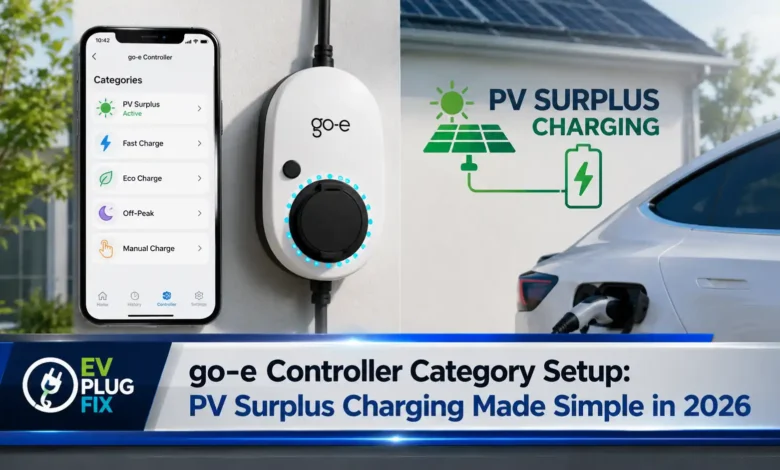
go-e Controller category configuration determines how effectively your electric vehicle harnesses solar power for charging, and getting it right transforms your EV from a grid-dependent consumer into a solar-powered champion. The go-e Controller serves as the brain of your PV surplus charging system, but without proper category assignment, even the most sophisticated solar array won’t deliver optimal charging performance. Whether you’re measuring mains consumption, solar production, or specific household loads, understanding these categories unlocks the full potential of your go-e Charger setup in 2026.
Understanding go-e Controller Categories for PV Surplus Charging
The go-e Controller needs to know exactly what each connected sensor measures before it can intelligently manage your EV charging. Categories act as labels that tell the system which power flows belong where, enabling the controller to calculate surplus solar energy available for your vehicle. The most critical category is “Mains”, which the go-e Charger and go-e Controller work together to regulate as close to zero as possible during PV surplus charging sessions. For homeowners considering a full system upgrade, professional Level 2 EV Charger Installation ensures your entire electrical infrastructure supports optimal solar charging performance.
💡 Expert Tip: Category Strategy
Always start with proper mains measurement before configuring any other categories. The go-e Controller prioritizes mains regulation above all else, so inaccurate mains readings will compromise your entire PV surplus charging system.
Three Essential go-e Controller Configuration Examples
Example 1: Basic Single-Phase Mains and Solar Setup
When you’ve mounted the sensor directly on one phase of your mains connection, set the Mains category to factor 1. If you’re not measuring household consumption separately, assign the Home category with factor 1 as well. This configuration ensures the go-e Controller treats the measured current as directly representing both mains supply and household consumption.
For a solar inverter connection, the approach depends on your measurement setup. If you’ve mounted a sensor on the PV inverter line, assign it to the Solar category. The power reading should show positive values when your inverter actively produces solar power. For a single-phase or three-phase inverter where you measure all phases, select factor 1. However, if you have a three-phase inverter but only measure a single phase, the go-e Controller requires factor 3 to accurately calculate total power output.
| Measurement Scenario | Category | Factor Setting | Why This Matters |
|---|---|---|---|
| Single-phase mains sensor | Mains | 1 | Direct phase measurement |
| Single-phase inverter (all phases measured) | Solar | 1 | Accurate direct reading |
| Three-phase inverter (one phase measured) | Solar | 3 | Multiplies reading for total output |
| Household consumption | Home | 1 | Integrates solar production |
Here’s the critical calculation: when you assign solar power to the Home category, the go-e Controller combines grid consumption with solar production. For instance, if your home consumes 1 kW from the grid but generates 500 W of solar power, the total consumption becomes 1.5 kW. This integrated view enables the go-e Controller to determine exactly how much surplus solar energy can flow to your EV battery.
Example 2: Advanced Load Branch and Solar Subtraction
For more sophisticated setups where you measure both the load branch and the inverter across all phases, the go-e Controller offers powerful configuration options. By setting the solar factor to minus one, you effectively subtract solar production from the grid measurement. This creates an accurate net consumption figure that the controller uses for surplus calculations.
When measuring specific loads like a water boiler or heat pump, assign these to custom categories such as “Custom 1”. The beauty of this approach lies in flexibility—you can rename these categories later to match your actual appliances. Unlike mains or home categories, custom load measurements don’t require assignment to Mains or Home since you’re directly measuring these currents.
Custom Category Benefits
- Track individual appliance consumption
- Identify energy-saving opportunities
- Fine-tune EV charging timing
- Monitor specific circuit performance
When to Use Factor Adjustments
- Single-phase measurement of three-phase systems
- Solar production subtraction for net metering
- Load balancing across different circuits
- Complex multi-sensor configurations
Configuring Multiple go-e Controllers for Expanded Monitoring
Example 3: Remote Solar Monitoring Challenges
Sometimes your solar inverter connects to loads located far from the main control cabinet where your go-e Controller resides. While this distance doesn’t impact PV surplus charging functionality, you might still want to monitor solar production for informational purposes. The go-e ecosystem provides a solution through multiple controllers, though with important limitations. Understanding these monitoring challenges is similar to tracking performance variables like Kia EV6 winter range, where environmental factors and measurement accuracy directly affect observed results.
⚠️ Important: Multi-Controller Limitation
As of the latest firmware updates, connecting two go-e Controllers via home network for synchronized operation isn’t yet supported. While you can purchase additional controllers for expanded monitoring capabilities, they cannot currently communicate with each other for integrated PV surplus charging management.
“The go-e Controller’s category system transforms complex electrical measurements into actionable charging decisions. Proper configuration isn’t just about accuracy—it’s about maximizing every watt of solar energy your system produces.”
— EVPlugFix Technical Team
Step-by-Step Category Configuration Process
Once you’ve determined the correct categories for your specific setup, configuring them in the go-e Controller menu follows a straightforward process:
- Navigate to the category configuration submenu in your go-e Controller interface
- For each sensor, define the factor that determines how its value contributes to each category
- For three-phase mains connections, repeat the assignment made for Internal 1 across Internal 2 and 3 sensors
- Verify your settings by monitoring real-time power flows during different conditions
- Adjust factors as needed based on observed performance
Remember that the go-e Controller continuously processes these category assignments to calculate available surplus power. Even small configuration errors can significantly impact your PV surplus charging efficiency, making careful setup essential for maximizing solar EV charging benefits. For drivers who frequently charge in varying conditions, understanding your charging infrastructure’s capabilities is just as important as knowing your vehicle’s performance characteristics in different environments.
Optimizing Your go-e Controller for Maximum Solar Utilization
Beyond basic category configuration, several advanced strategies can enhance your PV surplus charging experience. The go-e Controller’s intelligent algorithms work best when you provide clear, accurate category information. Consider these optimization tips:
- Regular Calibration: Periodically verify your sensor readings against your utility meter to ensure ongoing accuracy
- Seasonal Adjustments: Solar production patterns change throughout the year, potentially requiring factor refinements
- Load Management: Use custom categories to identify which household loads compete with EV charging for solar power
- Firmware Updates: Keep your go-e Controller updated to access the latest feature improvements
| Configuration Element | Best Practice | Common Pitfall | Performance Impact |
|---|---|---|---|
| Mains Category | Always factor 1 for direct measurement | Incorrect phase assignment | Critical – affects all calculations |
| Solar Category | Factor 1 for full measurement, 3 for single-phase | Forgetting to multiply three-phase readings | High – underestimates available solar |
| Home Category | Include solar production | Isolating solar from home consumption | Medium – affects surplus calculation |
| Custom Categories | Use for specific loads only | Overlapping with mains measurement | Low – primarily for monitoring |
The go-e Controller’s category system represents the foundation of effective PV surplus charging. By understanding how each category interacts with your specific electrical configuration, you transform your EV charging from a passive grid connection into an active participant in your home’s energy ecosystem. Whether you’re measuring mains consumption, tracking solar production, or monitoring specific loads, proper category setup ensures your go-e Charger operates at peak efficiency. To get the most from your solar investment, pairing smart controller configuration with proper installation practices creates a robust charging ecosystem that delivers consistent results.
🔋 Professional Takeaway
Mastering go-e Controller categories isn’t just about technical precision—it’s about maximizing your return on solar investment. Each kilowatt-hour of solar energy directed to your EV instead of the grid represents both environmental benefit and cost savings. Take the time to configure your categories correctly, and your PV surplus charging system will reward you with years of efficient, sustainable EV operation.